INDUSTRY:
AUTOMOBILE
EMPLOYER:
AUTONATION
ROLE:
UX/UI DESIGNER
SCOPE:
FLEET INVOICE WORKBENCH

Autonation Mobile Service
the problem: speed and accuracy.
Fleet Account Managers need to move invoices forward while checking that the account, vehicle, details, and submission destination are correct. Their work spans multiple fleets and customers: finding records, reviewing and editing details, tracking statuses, and submitting invoices. Each step depends on keeping the right context visible.
I owned the UX/UI design of AutoNation Mobile Service’s fleet invoice workbench from requirements through the finished feature. The goal was a clear workflow that supported efficient processing and quality control. The workbench was tested and shipped.
The invoice workflow
01 · Set the context
Choose a fleet or customer.
Find the relevant invoices.02 · Check the records
Review invoice details.
Edit and select the right records.03 · Move work forward
Submit the selected invoices.
Check their statuses.
understanding the workflow.
I gathered requirements in Microsoft Teams meetings with the Director of Design and project/product managers, supported by Jira tickets. I grouped the scope below to show the capabilities the workbench needed to support.
Requirements that shaped the workbench
Account context
Toggle between fleets and customers while reviewing the appropriate records.Invoice discovery
Filter by fleet, customer, status, reference number, date, responsible party, submission portal, and VIN.Review and quality control
Review and edit invoice details before moving records forward.Submission and tracking
Submit invoices and check their statuses.
The design challenge was to help managers narrow a large queue while keeping the context needed to check an invoice. The persona below summarizes the role’s goals and workflow needs; it is an illustrative persona based on the project requirements.




designing the review workflow.
I explored multiple wireframe options for connecting account context, invoice discovery, and submission. The final workbench follows three stages of review.
01 — Start with the account
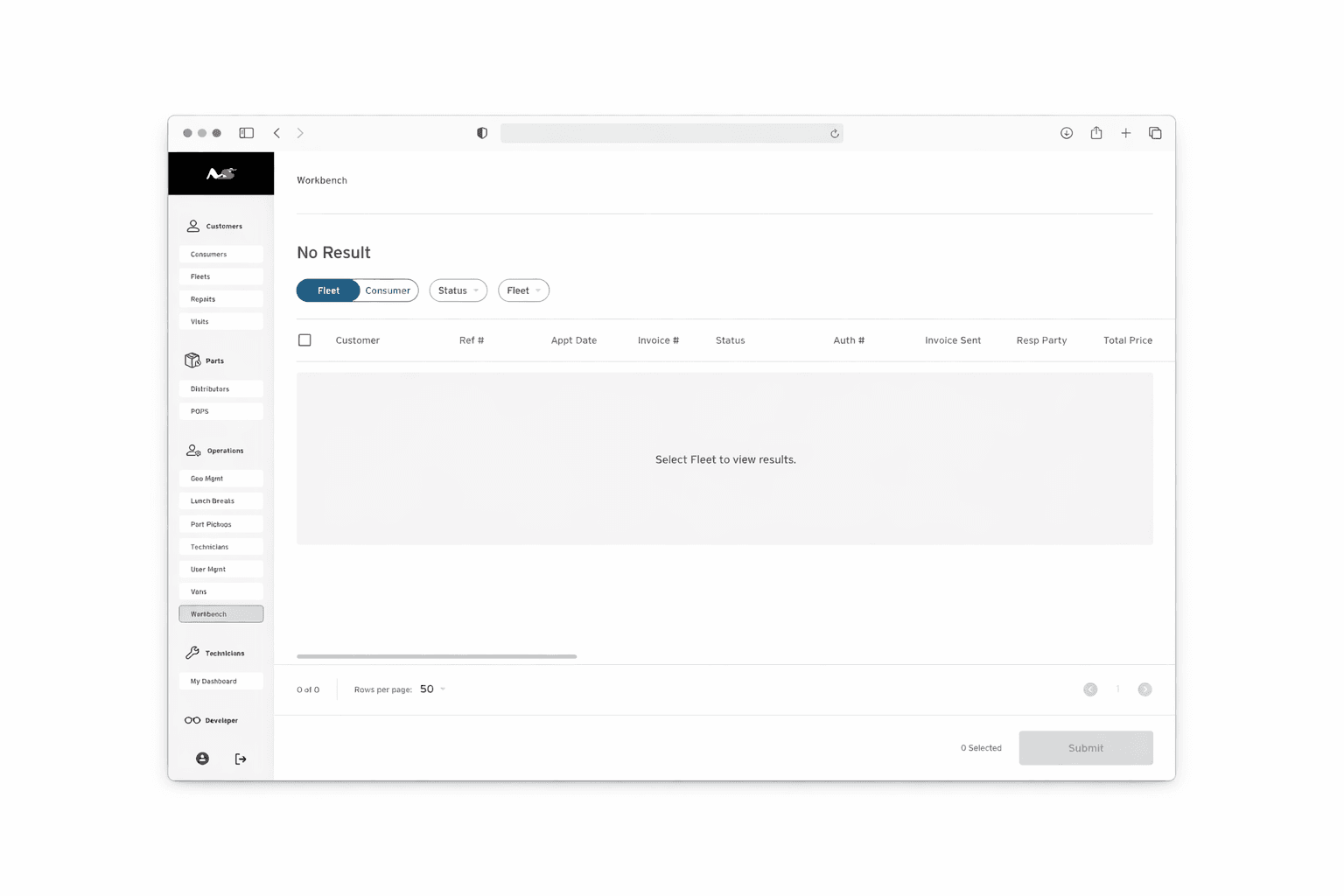
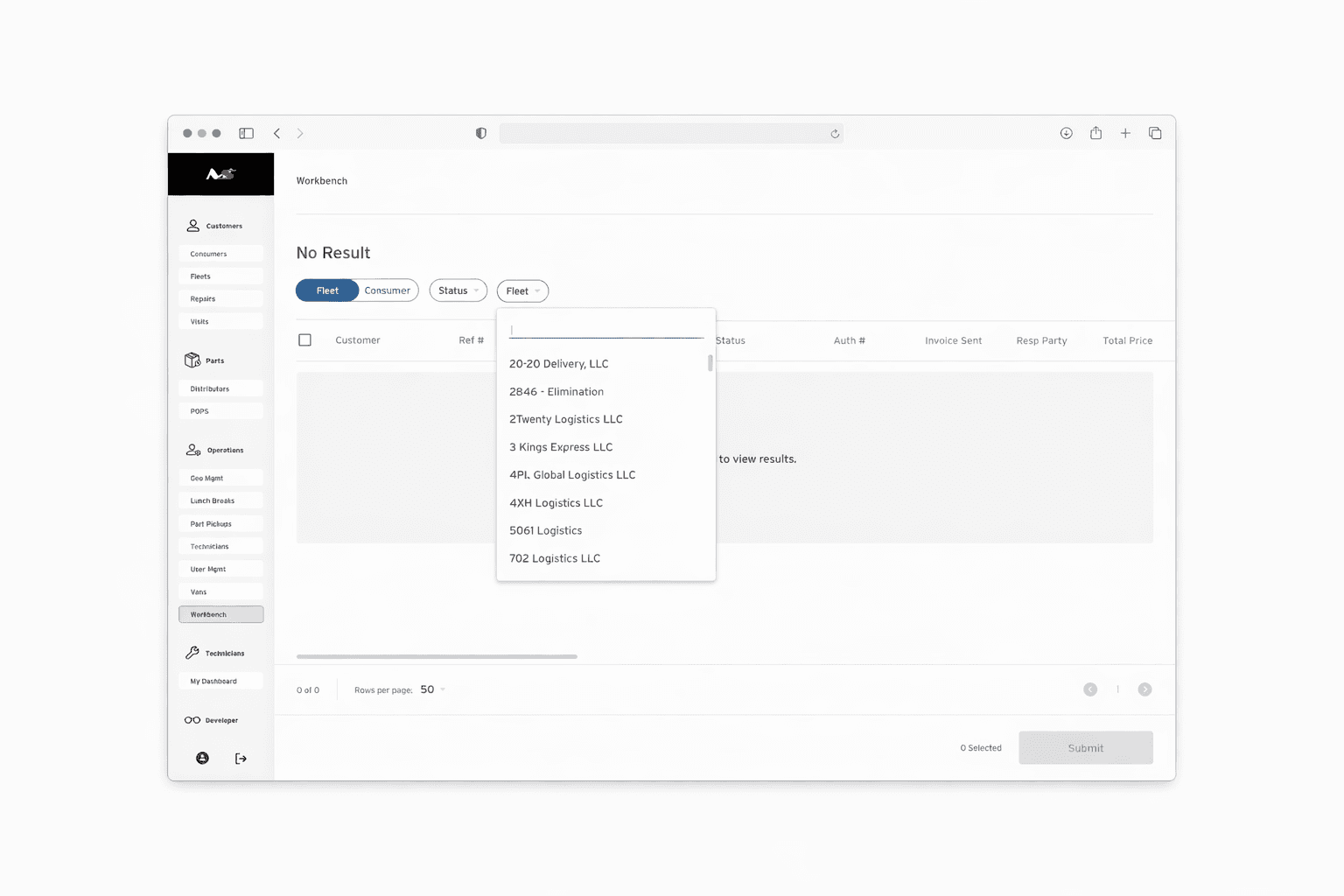
Managers work across fleets and customers. I made fleet selection an entry point for narrowing the workbench before reviewing individual records. This connects invoice discovery to the account the manager is working on.
02 — Find the records that need attention
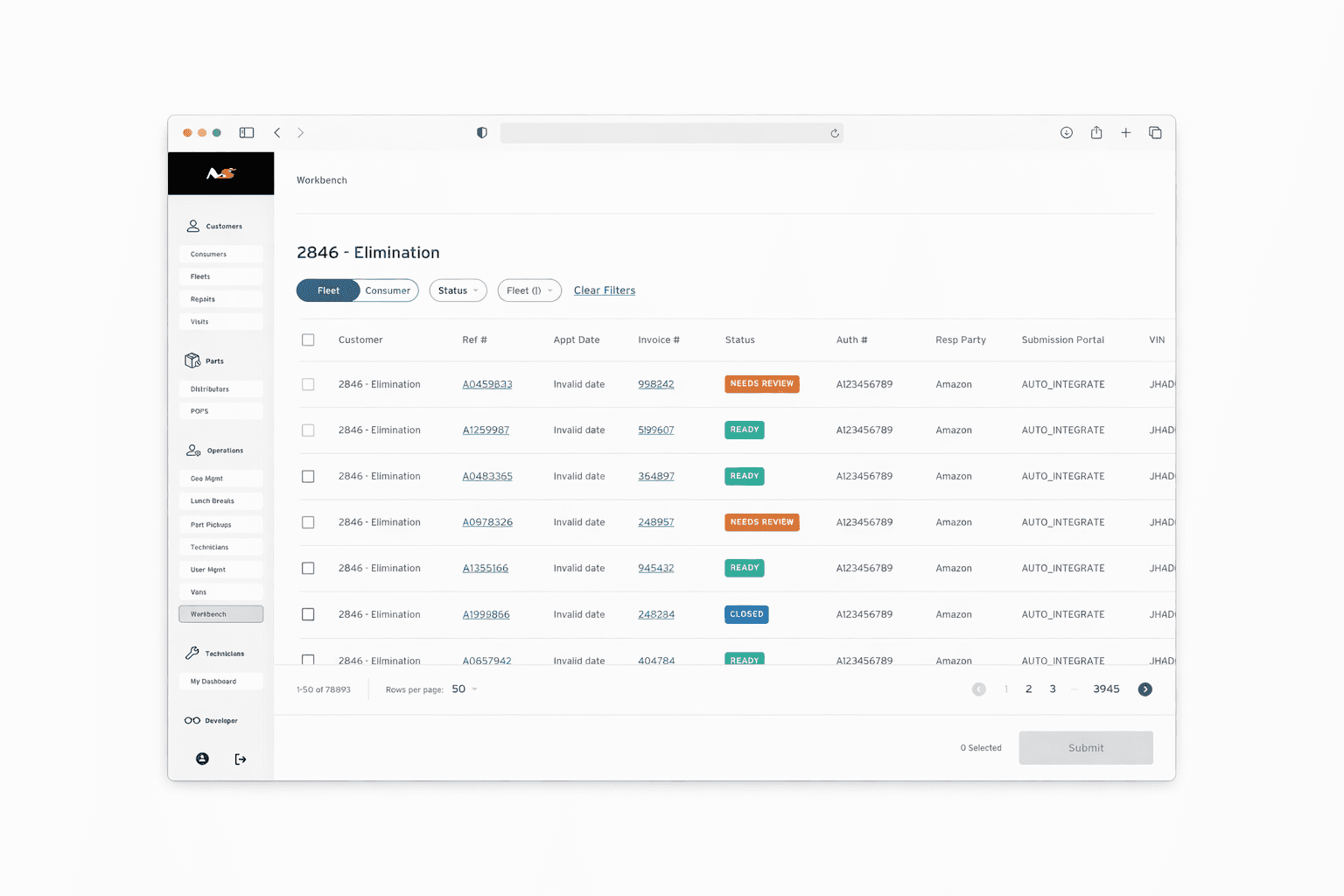
I used Ready, Needs Review, and Closed labels to distinguish invoice states. Filters narrow the queue, helping a manager move from a broad list to the records relevant to the task. The design combines a quick status scan with more precise invoice discovery.
03 — Review the scope before submitting
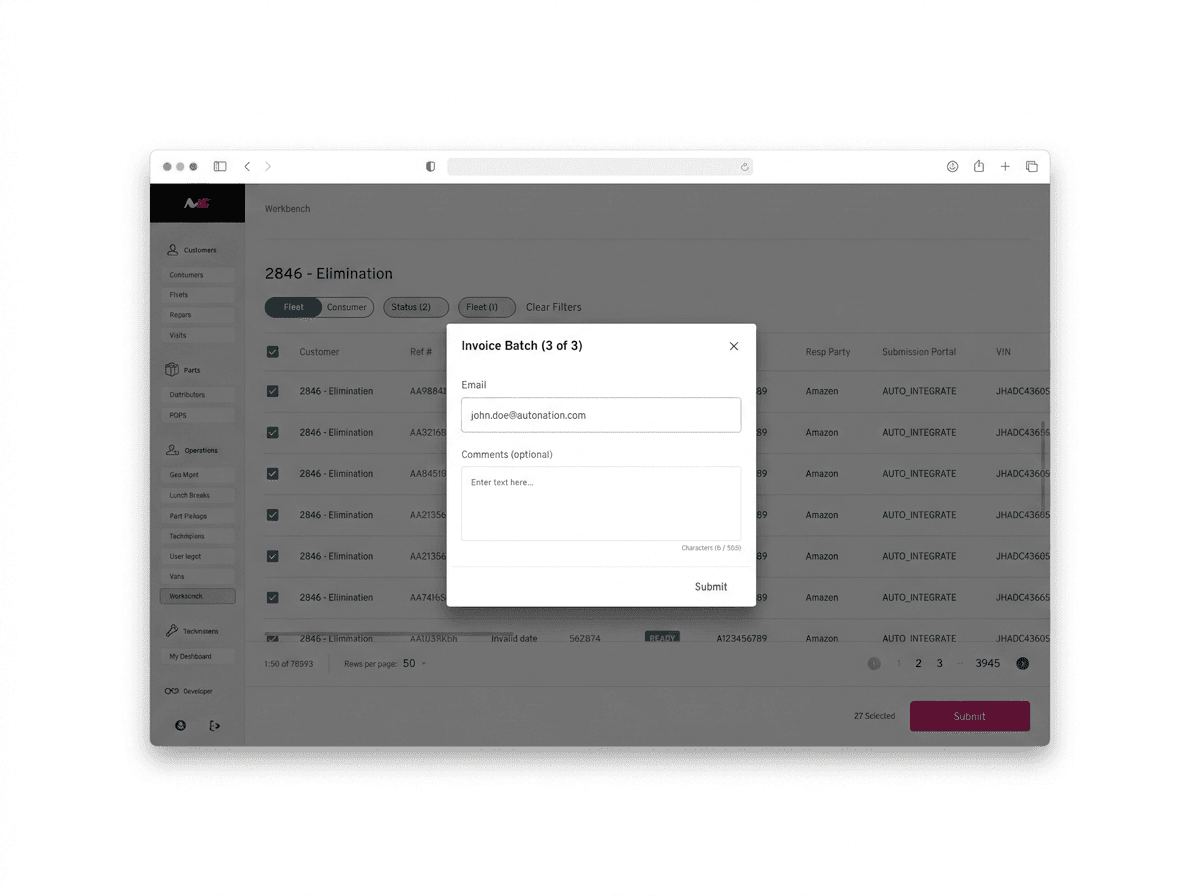
Checkboxes and a selected count make the batch visible. Before the final action, the submission dialog presents the recipient and optional comments. This gives the manager a checkpoint for reviewing which records will move forward and where they will go.

Account context comes first: the fleet selector narrows the workbench before a manager reviews invoice records.
the shipped workbench.
Delivered
The fleet invoice workbench was tested and shipped. I owned its UX/UI design from the initial requirements through the finished feature, working with the Director of Design and project/product managers.
I explored wireframe options and worked with stakeholders to develop the final workbench. Stakeholders chose to proceed without an interactive prototype.
The shipped experience brings account selection, invoice discovery, status review, batch selection, and submission into a connected workflow.
Reflection
The central design principle was to keep account context and action scope visible. In an operational tool, a manager needs to understand both which records they are reviewing and what the next action will affect.
Next measurement
To evaluate the workbench’s impact, I would measure time to locate an invoice, accuracy of edits, batch-selection errors, and confidence before submission.
01
See what needs attention
02
Review a selected batch
03
Confirm submission details